Slow Things

An independent app studio

Small apps for unhurried days.

We make small, careful apps for iPhone and Android that give you a reason to slow down: to write instead of scroll, to wait for something worth waiting for, and to notice the time you have.

Our apps

Seven slow things, so far.

Each app does one thing and tries to do it gently. All are free to download.

Letterbird app icon

Letterbird

Pen pal letters · iPhone, Android and web · 8 languages

Find a pen pal and write slow letters to people around the world. Choose an envelope and a stamp, write your letter, and let it travel for a few hours before it arrives.

  • Letters that travel. The farther away your pen pal lives, the longer the journey.
  • Find a pen pal. Meet someone new by language and interests, or write to a friend by their ID.
  • Postcards. A picture on the front and a few words on the back.
  • Collect stamps. Every letter adds a stamp to your album and a country to your map.
  • Your own address. With a letterbird.me link, anyone can write to you without an account.
  • Safe for teens. Ages 13 to 17 only write to each other, and every letter can be reported.
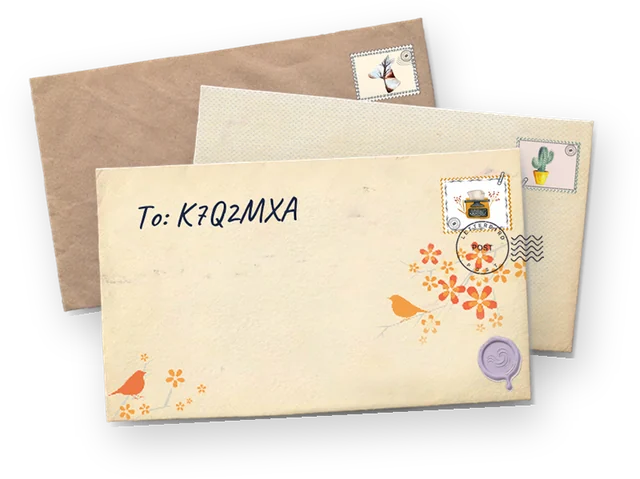
Three Letterbird envelopes with stamps and postmarks
Corners app icon

Corners

Shared photo album · Android · English

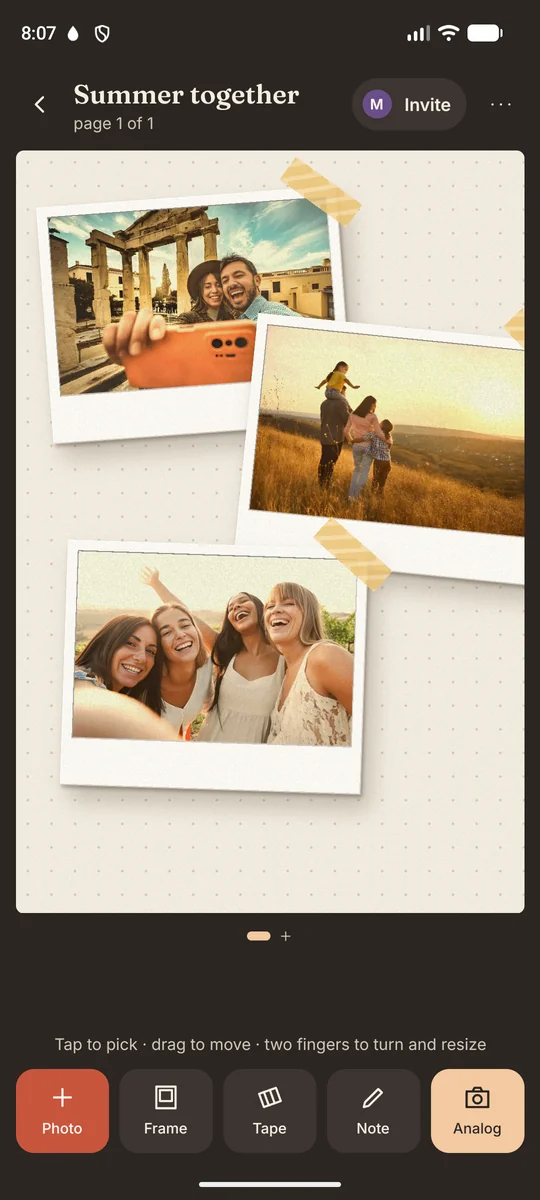
A paper scrapbook for the photos that matter. Pick your best shots, paste them onto a page with tape and a frame, and keep the book alone or together with the people in it.

  • Paste, don't scroll. A handful of good photos instead of thousands.
  • Kept together. Share a book with one link; pages update live.
  • Handwritten notes. A few words, a date and a place on the page.
  • Timeline and map. Every memory in order and where it happened.
  • Free up space. Keep the best of each burst, let the rest go.
  • Your photos stay yours. Originals never leave your gallery. No ads.
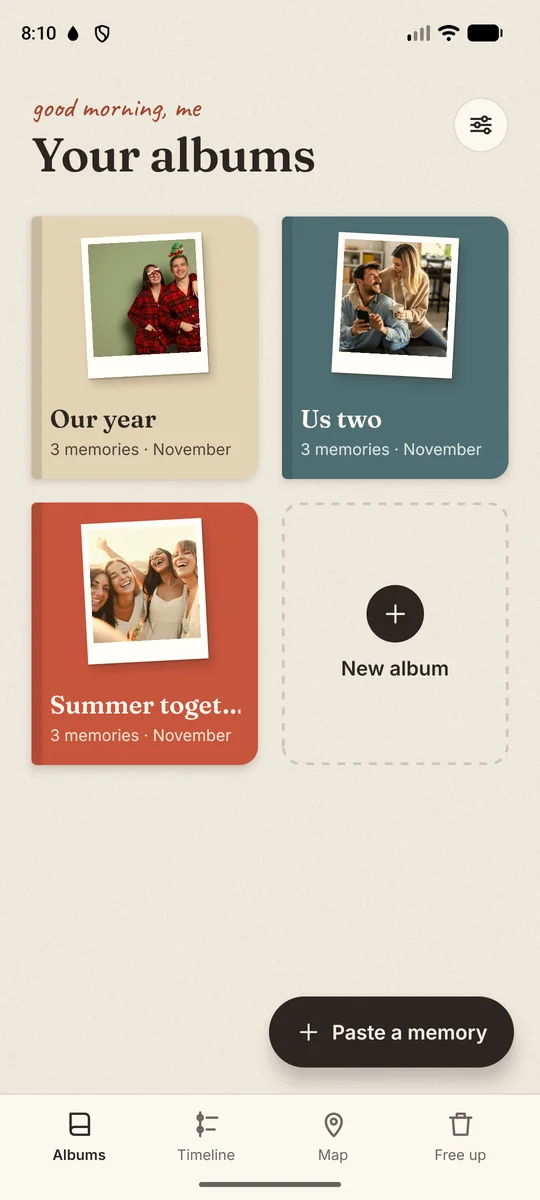
A Corners page: three taped photos on dotted paper Corners home screen with three albums
Till app icon

Till

Countdown widget · iPhone and Android · English

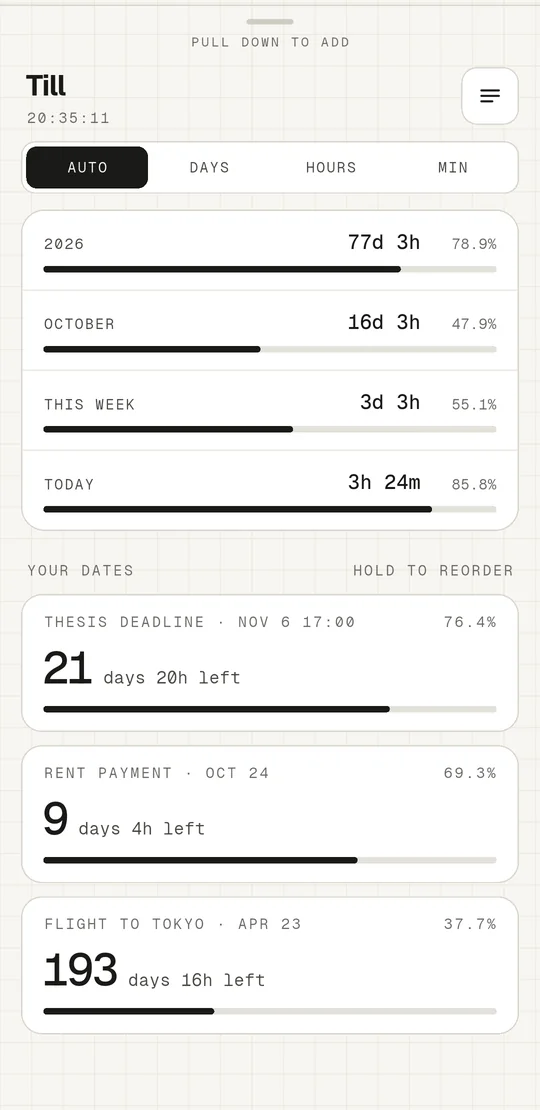
See how much of the year, the month, the week and the day is left, as quiet bars on your Home Screen. Add your own dates and watch them come closer.

  • Time as bars. Year, month, week and day, with the exact percentage and time left.
  • Your own dates. Pull down, type a name, pick a date. That's all.
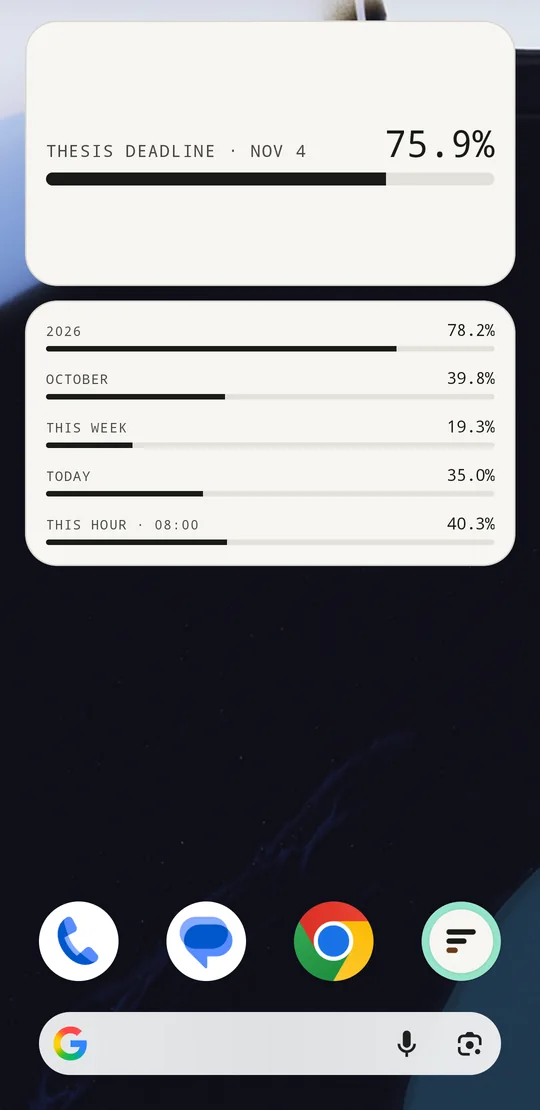
  • A widget you choose. Three sizes; tap it to pick its rows.
  • Gentle reminders. A month, a week, a day or an hour before.
  • No account, no ads. Your dates stay on your phone.
  • Free. Nothing is locked; leave a one-time tip if it helps you.
Till app: bars for 2026, October, this week and today, and three countdowns Till widgets on an Android Home Screen
Pocketroom app icon

Pocketroom

Free up phone space · iPhone and Android · 6 languages

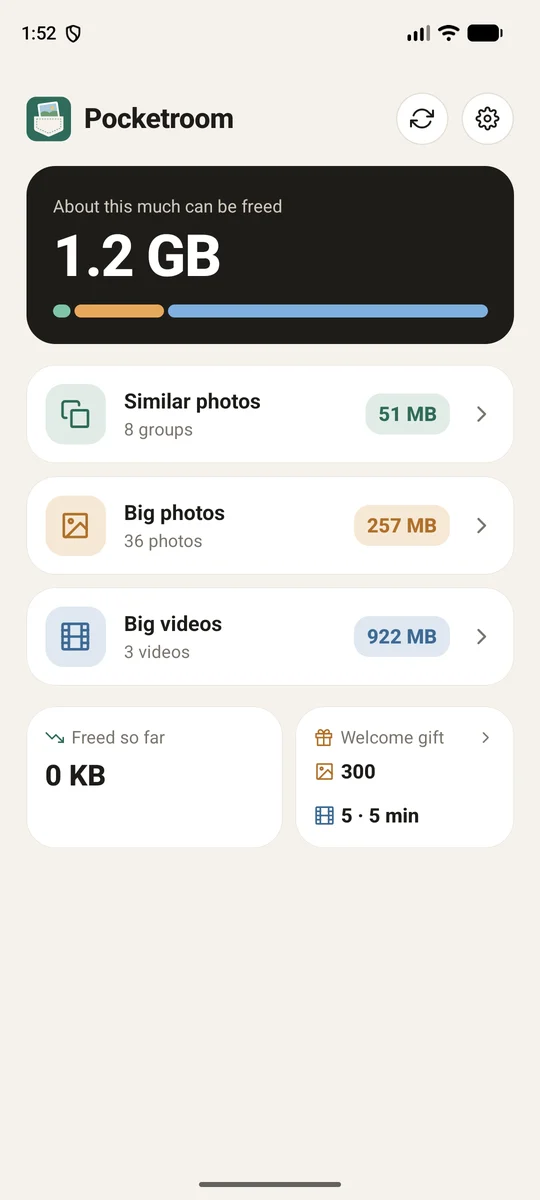
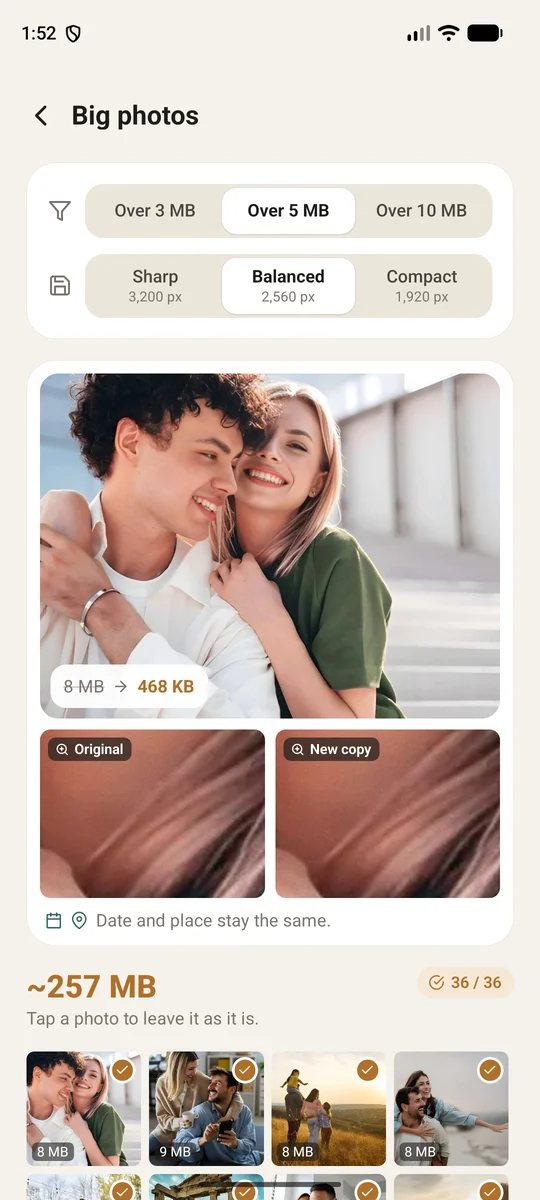
More photos in your pocket. Pocketroom finds look-alike shots and big photos and videos, keeps the best and makes lighter copies with the same date and place, so your gallery stays in order.

  • Similar photos. Bursts grouped; keep the one you like.
  • Big photos, lighter. A preview of your own photo before anything changes.
  • Big videos, lighter. Full HD or 720p copies of long clips.
  • Same date and place. Copies sit where the originals were.
  • On your phone only. No account, nothing uploaded, no ads.
  • Gentle by design. Recent photos are left alone; you confirm every change.
Pocketroom home screen showing how much space can be freed Pocketroom preview of a smaller photo copy next to the original
H2OK app icon

H2OK

Water tracker · iPhone and Android · 28 languages

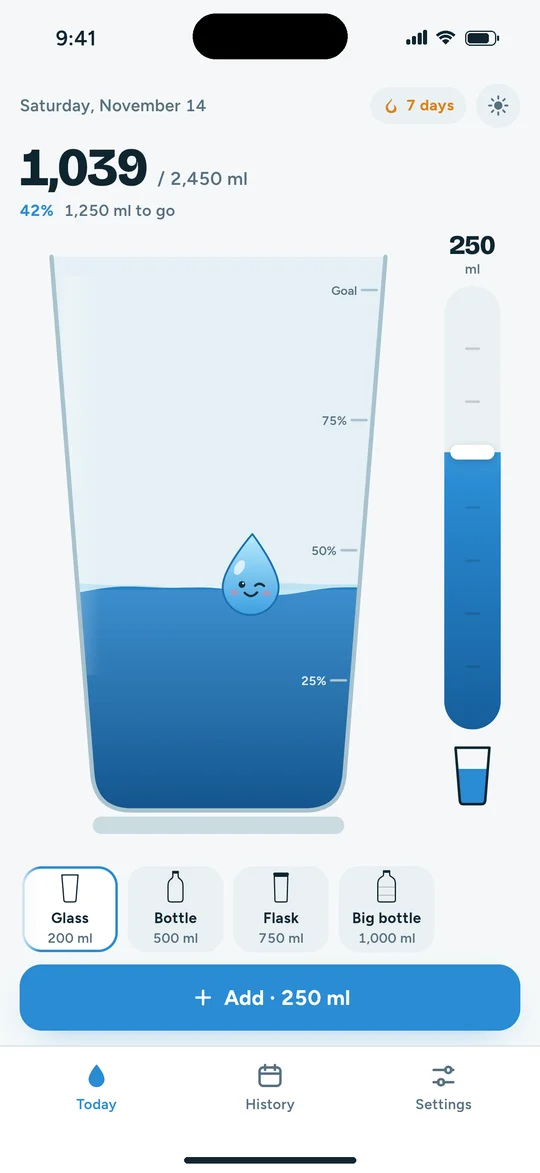
Stay H2OK. Tap once to log a glass, watch it fill, and let a little drop keep you company. Everything about water is free, for good.

  • One tap. Your own glasses, bottles and flasks.
  • Quiet reminders. Only while you're awake; they stop at your goal.
  • A goal that's yours. Suggested from your weight and activity.
  • Hot day. Tap the sun to add 500 ml until you turn it off.
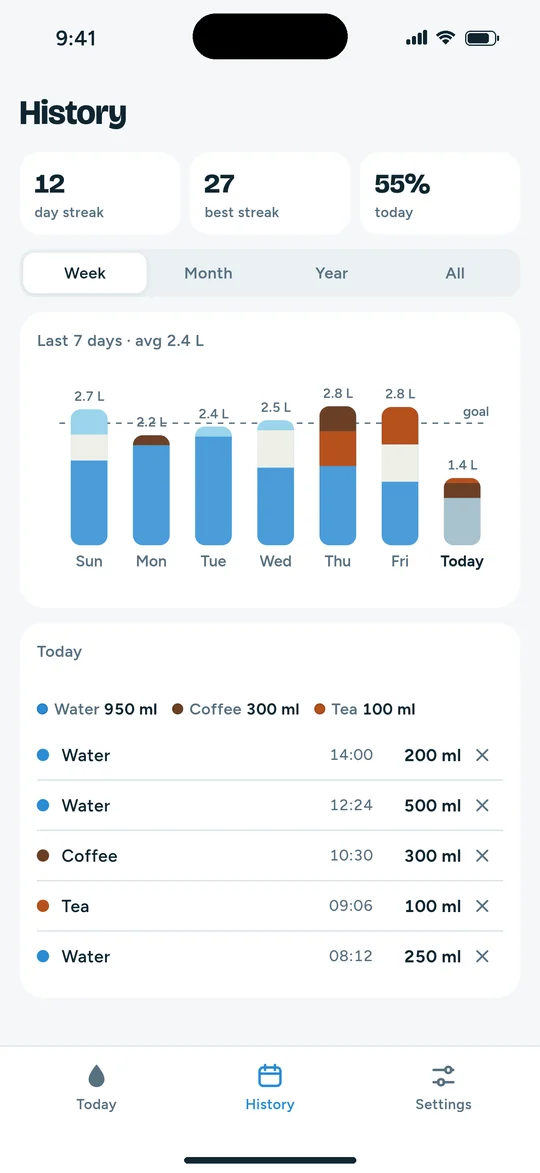
  • Streaks and history. Your week, month, year and every liter so far.
  • No account, no ads. What you drink stays on your phone.
H2OK today screen: a glass filling up toward the daily goal H2OK this week as bars, with the days that reached the goal marked
Knot app icon

Knot

Little lists · iPhone and Android · 35 languages

Short lists, tied gently. For the small things you need to remember: milk, a phone call, the plumber's number. Tap the ring and it's done.

  • Tap, pull, swipe. Tap the ring to finish, pull down to add, swipe to give it a time.
  • Gentle reminders. Give a line a time and Knot reminds you when it comes.
  • Close the day. In the evening, move what's left to tomorrow or let it go.
  • Widgets. On the Home Screen, and on the Lock Screen on iPhone.
  • Knot+. One purchase for extra palettes, typefaces and ring styles. No subscription.
  • No account, no ads. Your lists stay on your phone.
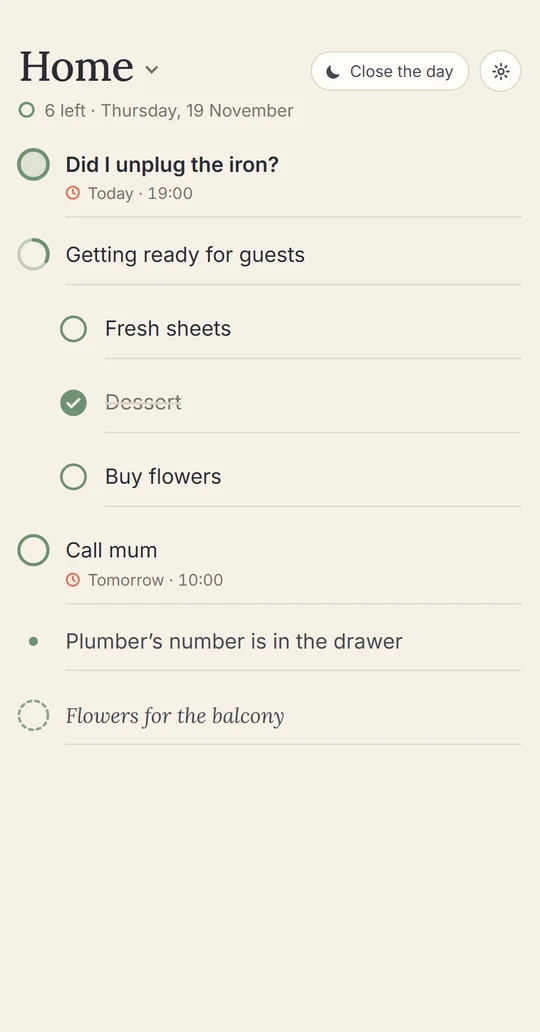
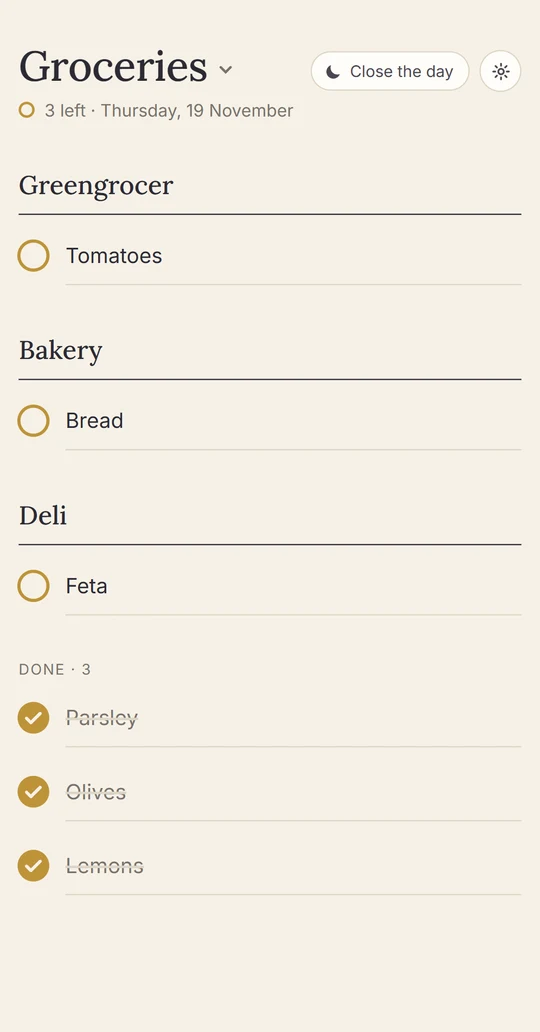
Knot home list with reminders, a list tucked inside another and a someday line Knot groceries list split by shop, with finished lines under Done
Marble app icon

Marble

Street marbles game · iPhone and Android · English and Turkish

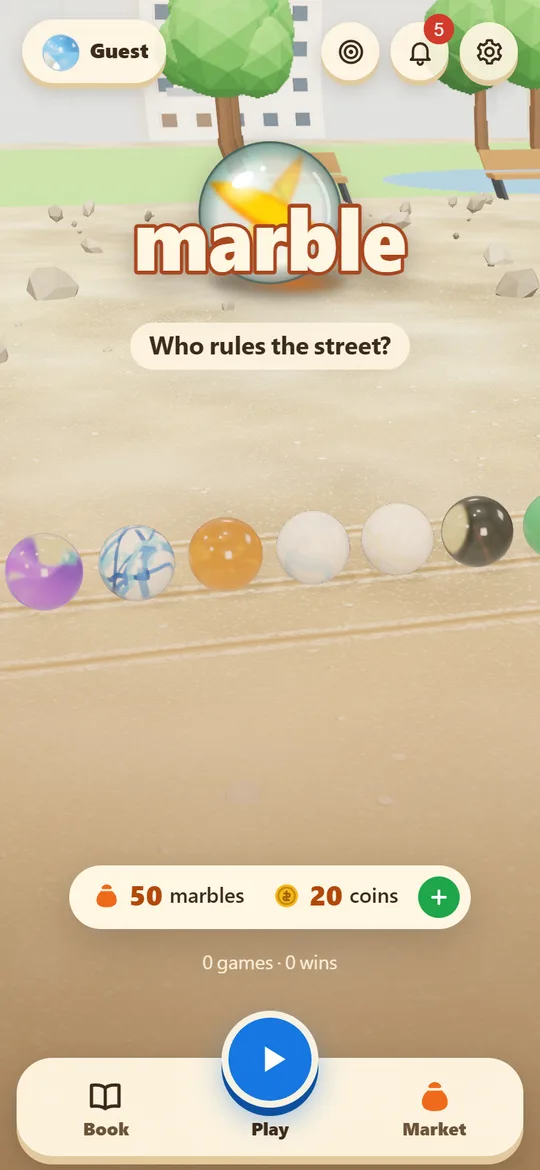
Who rules the street? Pull back, let go and knock marbles out of the row, the circle or the triangle. Stake your own marbles and keep the ones you win.

  • Classic games. Row, Circle and Triangle, plus Hunter on a big bumpy map.
  • Real opponents. Online matches against players near your level.
  • Practice any time. Play the computer with nothing at stake.
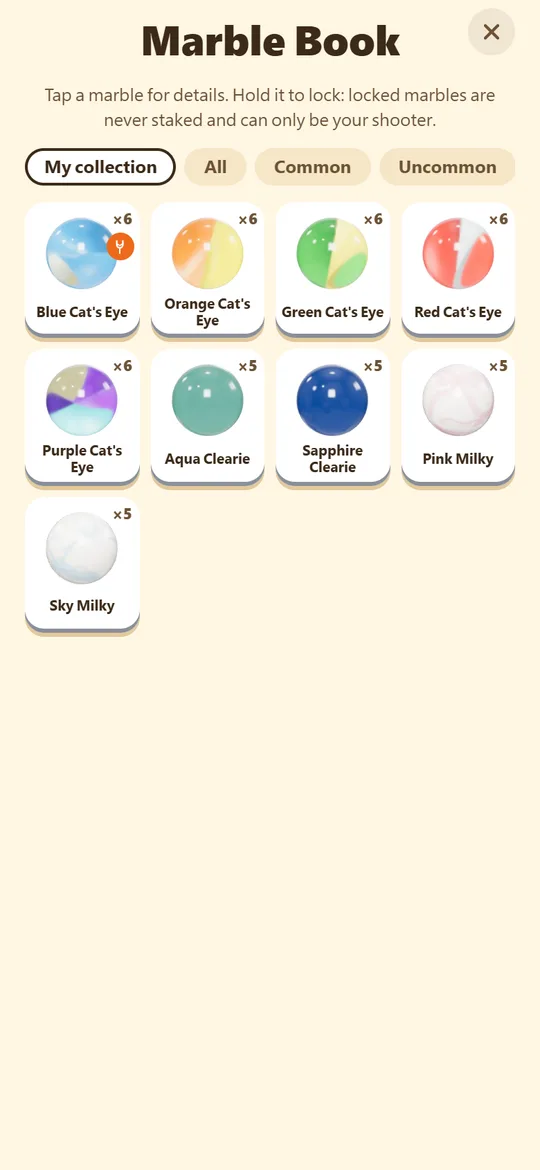
  • A collection to build. Cat's eyes, clearies, milkies and rare finds.
  • Leagues. Win matches to move up to bigger tables.
  • Start as a guest. Link Google or Apple later to keep your marbles.
Marble home screen with a row of marbles on a street Marble Book: the marbles in your collection

More slow things are on the way.

How we work

Made slowly, on purpose.

Slow Things is a small independent studio. We would rather make a few apps well than many apps fast.

Calm by design

No endless feeds and no streaks that nag you. Our apps are happy to be closed.

Private by default

We collect only what an app needs to work. Till and Pocketroom collect nothing at all.

A real person answers

Every message is read by the people who make the apps, usually within two working days.

Questions

Good to know

Are the apps free?

Yes. Letterbird, Corners and Till are free to download and use. Letterbird has optional coins and Premium for extra envelopes, stamps and letters. Corners has an optional Plus for more books and every frame and tape. Till has an optional one-time tip; nothing in Till is locked. Pocketroom is free to try every day, and one payment unlocks it for good. In H2OK everything about water is free; one payment adds other drinks.

Where can I get help with an app?

For Letterbird, write to support@letterbird.app or read the Letterbird FAQ. For Till, Pocketroom, H2OK and Knot, see Till help, Pocketroom help, H2OK help and Knot help, or write to hello@slowthings.studio.

What does Slow Things do with my data?

As little as possible. Till, Pocketroom and H2OK have no account: your dates, photos and drinks stay on your phone. Letterbird needs an account to deliver letters and explains everything it stores in its privacy policy.